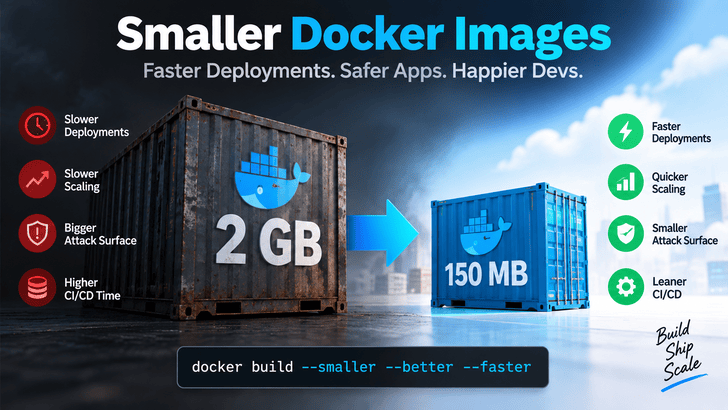
At first glance, that might not seem like a serious problem. Storage is relatively inexpensive, container registries can handle large images, and modern servers often have plenty of disk space.
But storage isn't really the issue.
The real problems begin when that image has to move.
Large Docker images can slow down deployments, delay Kubernetes scaling, consume unnecessary network bandwidth, increase CI/CD build times, and potentially expand the attack surface of your production containers.
If a relatively simple application produces a multi-gigabyte image, it's usually worth asking:
Consider a Node.js application packaged as a 2 GB Docker image.
When a new machine or Kubernetes node needs that image, the required image layers have to be downloaded from the registry.
Now imagine an autoscaling event.
Your application suddenly receives significantly more traffic, Kubernetes adds several new nodes, and those nodes need your container image before workloads can start.
A small image can be pulled relatively quickly.
A multi-gigabyte image may take considerably longer depending on registry performance, network bandwidth, layer caching, and infrastructure.
During normal operation, the difference might simply be annoying.
During an outage or sudden traffic spike, those extra seconds or minutes can become operationally important.
Docker does reuse image layers already available on a host, so an existing machine doesn't necessarily download the entire image for every new container. The problem becomes particularly noticeable with cold nodes, new environments, and frequently changing large layers.
Image optimization therefore isn't simply about saving disk space.
It's about making containers easier and faster to distribute.
Large Images Can Also Mean a Larger Attack Surface
There's another reason to care about image size: security.
Development environments frequently contain things that aren't necessary for production:
compilers
build systems
package managers
debugging utilities
development dependencies
source files
Git metadata
test files
If these tools and packages make their way into your production image, you're maintaining software your application doesn't actually need at runtime.
More packages can also mean more dependencies that need vulnerability monitoring and patching.
A useful container principle is:
Ship what the application needs to run—not everything it needed to build.
Fortunately, Docker gives us several ways to accomplish that.
1. Use Multi-Stage Docker Builds
One of the most effective techniques is a multi-stage build.
Instead of compiling and running your application in the same environment, you create separate build and runtime stages.
For example:
text
FROM node:24-bookworm AS builder

WORKDIR /app

COPY package*.json ./
RUN npm ci

COPY . .
RUN npm run build


FROM node:24-bookworm-slim AS runtime

WORKDIR /app

ENV NODE_ENV=production

COPY package*.json ./
RUN npm ci --omit=dev

COPY --from=builder /app/dist ./dist

USER node

CMD ["node", "dist/index.js"]
The first stage contains everything required to build the application.
It can include development dependencies, compilers, build tools, TypeScript, bundlers, and other tooling.
The second stage is different.
Only the artifacts required to run the application are copied into it.
Your build environment never becomes part of the final production container.
Docker explicitly recommends multi-stage builds as a way to separate build environments from runtime environments and reduce unnecessary content in final images.
2. Choose Your Base Image Carefully
Your Dockerfile might contain something as simple as:
text
FROM node:24
That decision can contribute significantly to the final image size.
The official Node images are available in several variants, including standard Debian-based images, slim, and Alpine-based images.
For example, you might consider:
text
FROM node:24-bookworm-slim
or:
text
FROM node:24-alpine
Alpine is attractive because Alpine Linux itself is extremely small.
But smaller isn't automatically better.
Alpine uses musl libc rather than the glibc commonly found in Debian-based Linux environments. Applications with native Node modules or binaries expecting glibc can therefore encounter compatibility problems.
For many Node.js applications, a Debian slim image can offer a useful balance between image size and compatibility.
So don't blindly replace every base image with Alpine.
Test the application and its native dependencies first.
3. Use .dockerignore
There's another surprisingly common source of bloated builds:
text
COPY . .
That command copies files from the Docker build context.
Without a proper .dockerignore, you may be sending files into the build process that have no reason to be there.
This helps prevent unnecessary files from entering the build context.
It can also help avoid accidentally including sensitive local files such as .env files.
Think of .dockerignore as the container-build equivalent of .gitignore: it defines what Docker shouldn't consider part of the build context.
4. Don't Ship Development Dependencies
A production Node.js API generally doesn't need every dependency used during development.
Tools such as test frameworks, linters, formatting tools, and TypeScript compilers may be essential during CI but unnecessary when the application is running.
Instead of installing everything in the runtime image:
text
npm install
you can install production dependencies only:
text
npm ci --omit=dev
Combined with multi-stage builds, this can remove a significant amount of unnecessary content.
5. Structure Dockerfiles for Better Caching
Image size isn't the only optimization worth considering.
Build speed matters too.
A common Dockerfile looks like this:
text
COPY . .
RUN npm install
The problem is that almost any source-code change can invalidate the layer containing the copied files, which may cause subsequent expensive steps to run again.
A better pattern is:
text
COPY package*.json ./
RUN npm ci

COPY . .
Now Docker can reuse the dependency layer when your application code changes but your dependency manifests haven't.
Docker's build cache works layer by layer: when a layer changes, downstream layers may need rebuilding.
Thoughtful Dockerfile ordering can therefore dramatically improve repeated builds.
6. Minimal Images Can Improve Security—but Know the Trade-Off
Teams with stricter production requirements can go even further.
One option is a distroless runtime image.
Distroless images are designed to contain the application and its required runtime dependencies without many of the utilities found in a normal Linux distribution.
That can mean no shell and no conventional package manager.
Removing unnecessary tools can reduce the amount of software available inside a compromised container.
But there's a trade-off.
When something goes wrong in production, you can't necessarily run familiar commands such as:
text
bash
curl
apt
inside that container.
That means your observability and debugging workflow needs to be designed accordingly.
Minimal containers are powerful, but minimalism should be intentional rather than simply chasing the smallest possible image.
A Practical Production Dockerfile
Putting several of these ideas together, a Node.js application could use something like:
text
# ---------- Build ----------
FROM node:24-bookworm AS builder

WORKDIR /app

COPY package*.json ./
RUN npm ci

COPY . .
RUN npm run build


# ---------- Production ----------
FROM node:24-bookworm-slim AS production

WORKDIR /app

ENV NODE_ENV=production

COPY package*.json ./
RUN npm ci --omit=dev && npm cache clean --force

COPY --from=builder /app/dist ./dist

USER node

EXPOSE 3000

CMD ["node", "dist/index.js"]
Image size is one useful signal within that larger picture.
Before Shipping Your Next Container
When reviewing a production Docker image, ask a few simple questions.
Does the final image contain build tools?
Are development dependencies installed?
Are tests, .git, local configuration, or logs being copied?
Could a multi-stage build separate compilation from execution?
Could the base image be replaced with an appropriate slim variant?
Are Docker layers structured so dependency installation can be cached?
And perhaps the most useful question:
If this file or package isn't required for the application to run, why is it in the production image?
That question alone can uncover a surprising amount of container bloat.
Final Thoughts
A 2 GB Docker image might work perfectly well.
That's exactly why oversized images can survive unnoticed for so long.
The application starts. The container runs. The deployment succeeds.
But unnecessary image weight can quietly increase deployment time, network transfer, CI/CD overhead, scaling latency, and the amount of software you have to maintain.
Multi-stage builds, sensible base images, .dockerignore, production-only dependencies, and well-designed Docker layers aren't complicated optimizations.
They're good container engineering.
Your production image should contain what production needs—and very little else.